While it is widely recognized as a search engine for local files and web queries, Spotlight functions equally well as a functional application launcher, an automation trigger, a built-in calculator, a currency converter, and a shortcut for executing tasks inside third-party and native apps. By moving beyond simple keyword lookups, users can significantly streamline their mobile workflows using ten lesser-known Spotlight capabilities.
Bypassing the Clock App for Timers, Alarms, and Stopwatches
Managing time-sensitive tasks on iOS traditionally requires opening the dedicated Clock app to configure alarms, start countdown timers, or check the stopwatch. Spotlight allows users to bypass this interface entirely. By activating Spotlight and typing "Clock," the system immediately surfaces contextual buttons for the Clock app alongside direct options to "Set Timer," "Add Alarm," and launch the "Stopwatch."
Tapping any of these secondary shortcuts initiates the function directly, integrating neatly with features like the iPhone’s Dynamic Island. Selecting "Set Timer" presents an immediate adjustment slider, while activating the stopwatch begins the count instantly without requiring navigation through the main application grid.
Locating Text Inside Photos and Screenshots via Optical Character Recognition
Apple’s built-in optical character recognition (OCR) allows iOS devices to automatically identify, select, and copy text embedded within photographs and saved screenshots. Rather than opening the Photos app and manually browsing through libraries, users can leverage Spotlight to surface these images instantly.

Typing any word or phrase into the search bar prompts the "Photos" category in the results to display every image containing the matching text string, bridging the gap between visual media and text-based search.
Performing Unit and Currency Conversions Instantly
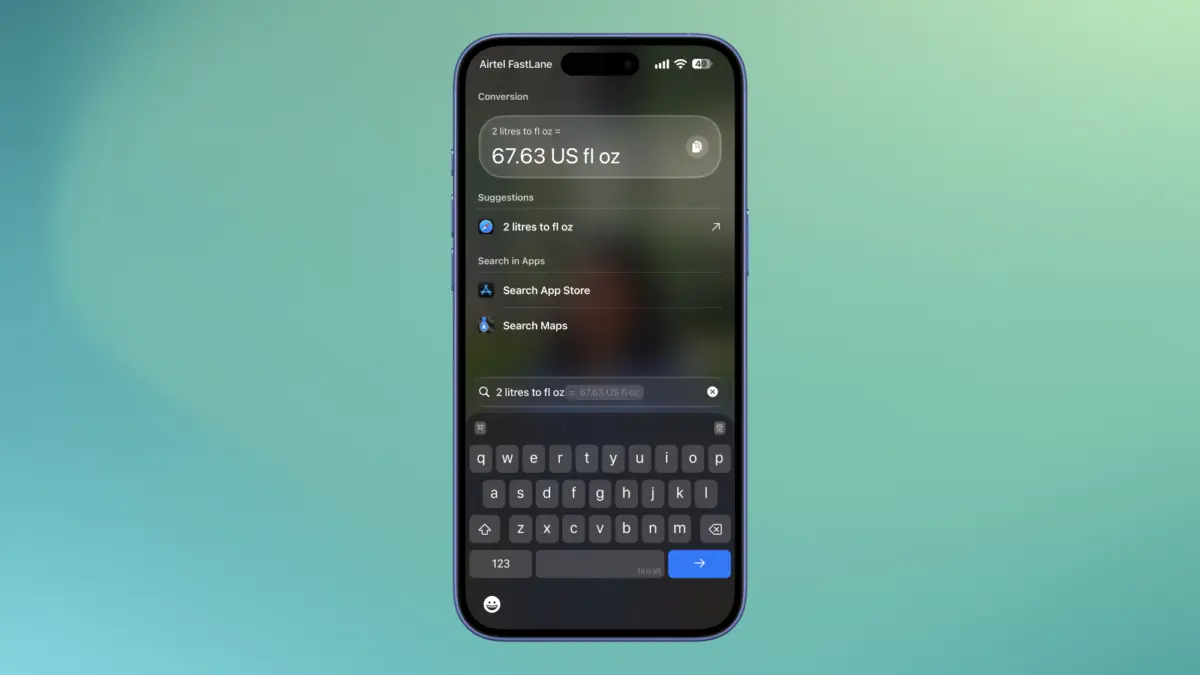
Converting measurements from the metric system to Imperial units—or vice versa—often prompts users to open a web browser or dedicated utility. Spotlight handles these computations natively. Queries such as "1 inch to cm" yield immediate conversion results at the top of the interface.
Similarly, currency conversions can be executed by typing a currency symbol followed by an amount, which automatically converts the figure to the user’s local currency by default. More specific requests, such as converting specific foreign amounts to alternative currencies, are processed with equal efficiency.
Executing Calculations Directly Within the Search Box
Basic arithmetic rarely requires opening the standalone iOS Calculator app. Spotlight processes basic math operations directly within its search field, handling addition, subtraction, multiplication, division, and percentages.
The straightforward syntax allows users to calculate tips or split bills on the fly by typing expressions directly into the search bar, yielding instant mathematical outputs without launching additional software.

Generating Calendar Entries and Searching Historical Content by Date
Time-based queries in Spotlight serve dual purposes: scheduling future events and auditing past archives. Entering a future date into Spotlight activates an "Add" button within an Event widget, allowing users to initiate a Calendar entry without opening the dedicated app.
Conversely, searching for past chronological markers, such as specific months and years, aggregates related content from across the device. Results are organized into distinct app categories, enabling quick navigation to photos, messages, and emails associated with that specific timeframe.
Initiating Voice Recordings via Quick Commands
Voice memos can be captured rapidly by utilizing text commands within the search interface. Typing "Record" surfaces options connected to the Voice Memos app, where tapping the designated record button immediately begins capturing audio while displaying a live timer and stop control within the Dynamic Island.
Running Media Downloading Automations Directly from Search Results
Users who configure custom iPhone shortcuts to download media from platforms like Instagram, Threads, or YouTube can execute these workflows straight from Spotlight. Entering the term "Download" presents the user’s pre-configured automation shortcuts in the search results.
As long as a valid media URL is stored on the device’s clipboard, tapping the corresponding shortcut initiates the download process immediately, removing the need to navigate through the Shortcuts application.

Toggling Focus Modes and Accessibility Settings to Eliminate Distractions
Navigating through deep system settings to alter accessibility features or notification profiles can be cumbersome. Spotlight provides direct toggles for specific device states. Searching for "Color Filters" allows users to enable greyscale mode instantly to minimize visual distractions during work hours.
In a similar fashion, typing "Focus" populates the search results with various Do Not Disturb and Focus profiles, allowing users to switch system-wide notification states directly from the settings category within the search view.
Customizing Spotlight Privacy and Managing App Visibility
To maintain privacy or declutter search results, iOS allows users to control which applications and data sources appear in Spotlight. By navigating to the device settings, users can adjust preferences to hide specific applications from appearing as suggestions or exclude them from search results entirely.
This level of granular control ensures that sensitive files, applications, or personal content remain hidden from general search queries, allowing individuals to tailor the search experience to their exact operational needs.