The integration of Apple Intelligence into the wearable ecosystem represents a significant push by the tech giant to bring generative AI tools into everyday mobile accessories. However, hands-on testing with the new on-wrist chatbot reveals that the current user experience frequently struggles to live up to the polished promises made during promotional events.
What Devices Have Siri AI?
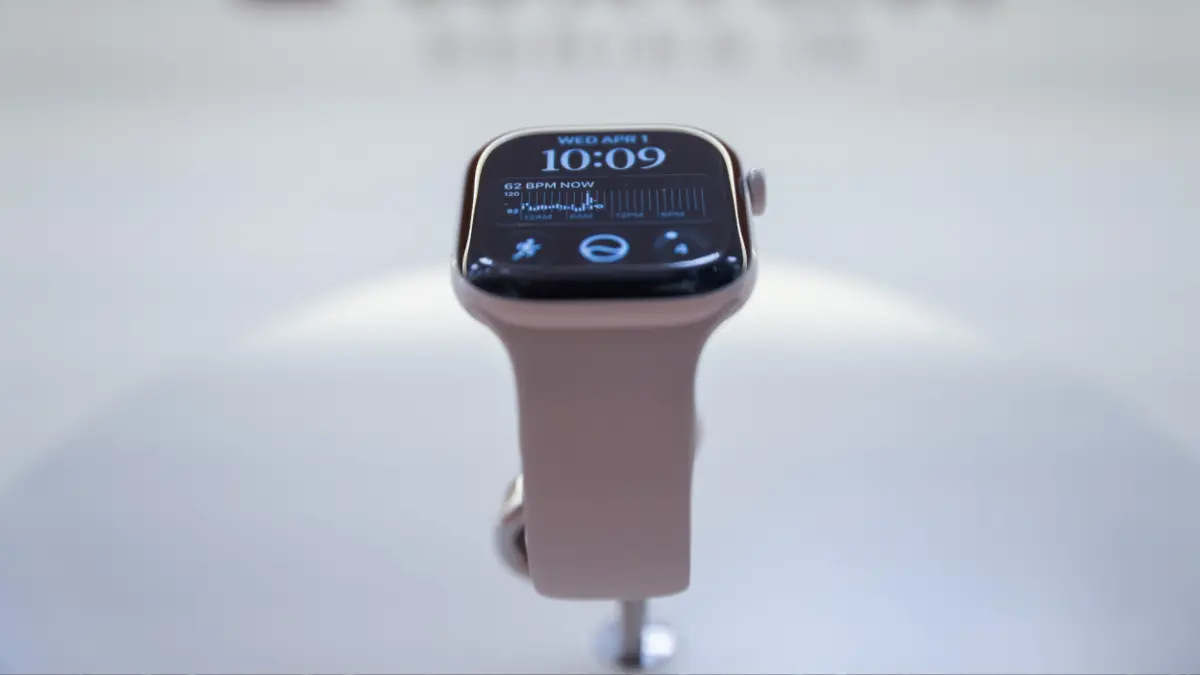
Accessing the new capabilities is not as simple as downloading an update; it requires navigating a strict hardware and software ecosystem. Because Siri AI relies heavily on the advanced processing power of Apple Intelligence, users must operate compatible devices on both ends. This means owning an iPhone 15 Pro or newer, paired with an Apple Watch Series 9 or newer.
Attempting to run the AI features with a mismatch—such as a brand-new watch paired with an older generation phone—will not work. For testers utilizing the latest developer software betas, such as iOS paired with recent watchOS builds on devices like the Apple Watch Series 12, enabling the feature requires toggling the option within the phone’s settings application. This action places the user onto an official waiting list, where approval notifications typically arrive after a few days of processing.
Siri AI on the Apple Watch is Occasionally Useful, But Mostly Disappointing
Once the feature is fully activated and integrated into the wearable device, the daily reality of interacting with a wrist-mounted chatbot quickly becomes apparent. Routine queries that should be simple often highlight the system’s current inefficiencies. For instance, asking the device for the location of the nearest yoga studio frequently yields a list of locations scattered across a wide radius, rather than prioritizing immediate proximity. After multiple rewordings, the system might eventually identify a location just a mile away, but the process often proves less efficient than executing a basic web search or relying on older, non-generative versions of the assistant, which historically located nearby venues with greater speed and accuracy.
Further testing reveals a distinct performance gap between the wearable and the smartphone. While basic device controls—such as setting a quick timer or checking the daily weather forecast—execute smoothly and rapidly within seconds, more complex cognitive tasks expose the current limitations of the wrist-based architecture.
Siri AI Performance: Watch Versus Phone
One of the marquee features promoted for Siri AI is its cross-app intelligence, which allows the assistant to search through personal emails and text message histories to retrieve relevant details during an ongoing conversation. On the Apple Watch, however, this capability operates with varying degrees of success.
When asked to recall specific items requested by family members, the assistant can sometimes retrieve basic data, such as a wish list sent on a specific date. Yet, it frequently requires precise, heavily guided prompting to pull up secondary requests made on adjacent days. The iPhone version of the same AI assistant routinely handles these multi-layered queries in a single response without demanding additional clarification from the user.

Similarly, when tasked with tracing contextual information from past text threads—such as identifying who was sent a specific contact phone number—the watch version often provides only raw data without understanding the broader conversational context. The smartphone iteration, conversely, demonstrates a much higher level of contextual awareness, correctly identifying individuals based on earlier introductions within the chat history, even when those names are not saved in the user’s contacts.
Where Siri AI Struggles on the Apple Watch
Beyond contextual search limitations, users encounter persistent technical hurdles that disrupt daily usage. The watch’s dedicated AI interface is prone to sudden crashes that abruptly terminate the active session and return the user to the watch face home screen. Audio output can also be erratic, with the synthesized voice occasionally breaking up or stuttering, prompting the system to awkwardly restart its spoken response mid-sentence.
Processing latency remains another major pain point. Many complex requests require a "thinking" period lasting five to ten seconds. During these extended pauses, users often find it faster to simply pull out their smartphones to find the information themselves. When the system is completely stumped by a query, it frequently defaults to generating a broad web search, resulting in a dense wall of unhelpful text that is difficult to read on a small screen.
For example, attempting to troubleshoot a mysterious interface icon currently displayed on the screen often leads to abstract internet definitions of gray icons in general, rather than recognizing or addressing the specific visual element the user is looking at. Media playback requests can similarly go off track; asking the assistant to resume a podcast has been known to trigger recommendations for entirely unrelated, unwanted audio programs instead of launching the user’s default listening application, a task the iPhone version handles without issue.
Certain fitness and health queries yield similarly uneven results. While the assistant may correctly state that it lacks direct access to broader sleep data summaries, the watch version can at least successfully report the specific times the user went to bed and woke up, offering a minor silver lining.
The newly introduced Conversations application interface also falls short of expectations. Designed to present a neat list of recent interactions when accessing the central hub of the app picker, the feature frequently displays empty logs reading "No conversations," or arbitrarily saves only isolated, single-question exchanges while ignoring hours of active dialogue.
Still a Work in Progress
Despite the clear frustrations, early adopters note that the underlying concept holds considerable potential. The ability to engage in back-and-forth dialogue and interrupt the assistant to refine instructions—such as narrowing down general fitness advice into specific workout warm-up movements—points toward a more natural interaction model for wearable technology.
However, until software updates address the persistent latency issues, frequent application crashes, and the puzzling inability to seamlessly access data residing directly on the host device, the on-wrist AI experience will remain a work in progress for everyday consumers.